
QuoteMaven features
Create quotes, collect signatures, turn signed quotes into invoices and accept card payments.
Quotes with sections and discounts
Organize quote items into sections and add discounts so a big job reads clearly.
The quantity helper that reads dimensions
Put dimensions in an item's name and the AI quantity helper works out the quantity from the name.
Area calculation examples: 40 ft × 12 ft = 480 sq ft; 55 ft × 5 ft = 275 sq ft.
E-signature links
Your customer opens a private link in their browser, reviews the quote and signs. Nothing to install. You get an alert when they view it and when they sign.
Quote to invoice, automatically
When a quote is signed, it becomes an invoice, with nothing to retype. Manual payments switch the invoice to paid automatically.
Accept card payments
Customers can pay by card, and card payments go to your bank account. You can also record cash or check payments.
Card payments run on paid plans.
Options your customer can see, plus discounts
Label line items as options with letters or numbers, so customers clearly see every choice, and add discounts.
Your branding, your words
Branded documents, with your license and insurance documents as links. Keep multiple contracts. Custom labels are available.
Notes that pop — the highlighter
Highlight the lines in your notes that matter, in lots of colors and shades.
Top paid plan.
Links on your documents
Your branded documents can carry your review links, plus your license and insurance documents as links.
Photos and attachments
Add photos and attachments to your quotes.
Stats and notifications
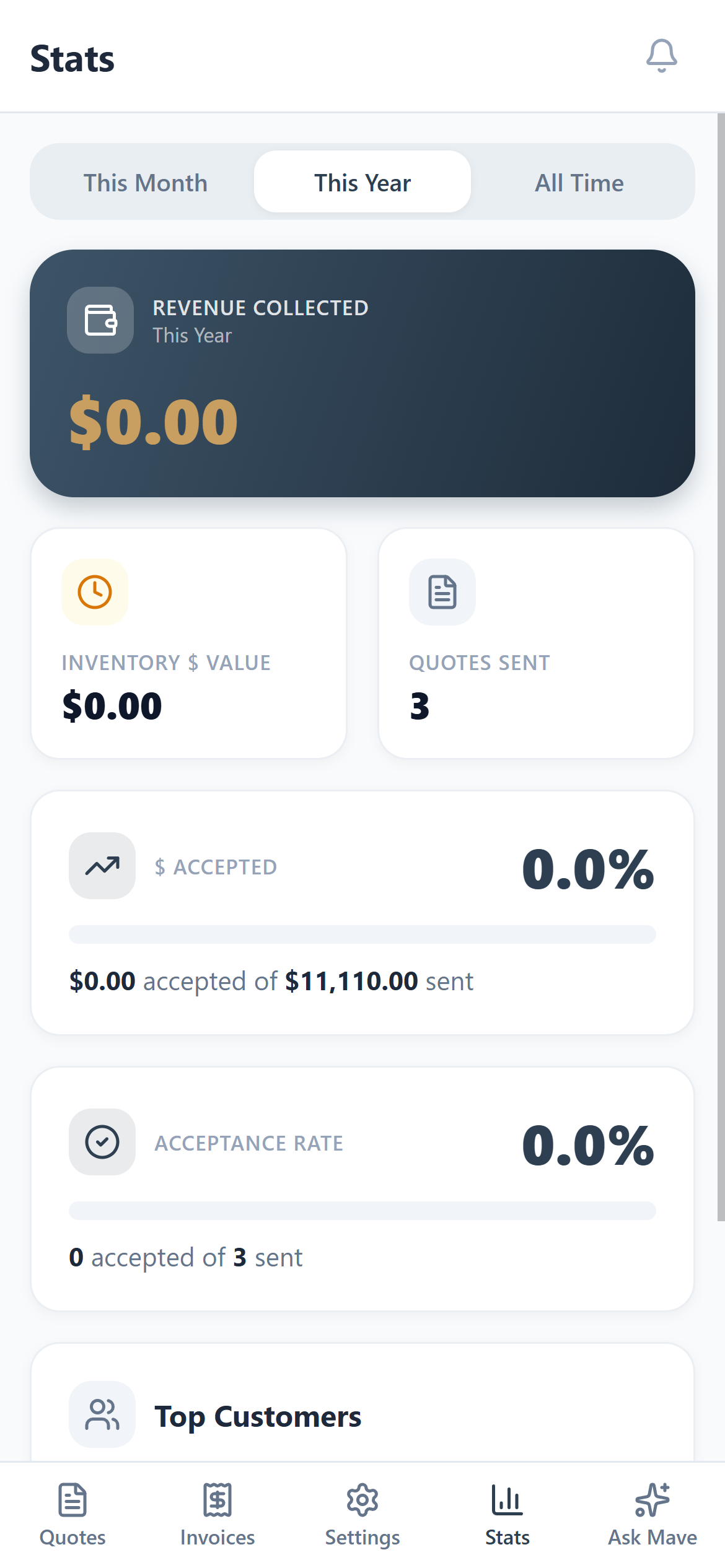
Stats show revenue collected, inventory value, quotes sent, dollars accepted, acceptance rate and top customers. Alerts tell you when a customer views, signs and pays.
Stats are on paid plans.
Ask Mave
Ask Mave in the app.
 Coming soon to the Apple App Store.